Sign in to my Wurk account
If you're having issues signing in to your account, or follow the steps below
1. Sign in to my Wurk account - Wurk Help
Go directly to the sign in page to sign in to your Wurk account, or follow the steps below.
Note: If you're having issues signing in to your account, troubleshoot common problems.
- Go to the Wurk home page.
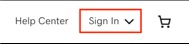
- In the top right-hand corner, select Sign In (on mobile, select the person icon
 ).
).
- If you're already signed in, you'll see your Username instead of Sign In. Select your Username, then select My Products to go to your Wurk account.
- Under Registered Users, select Sign in.
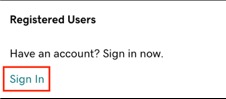
- Enter your Username or Customer #. You can also sign in with your Amazon, Facebook or Google account.
- Depending on when you created your account, your username might be your email. If you can’t sign in after trying your username, customer # and email, try retrieving your username .
- Enter your Password, then select Sign In.
- If you set up 2SV, you'll be prompted to enter an authentication code or use your security key to complete the sign-in process.
Once you're successfully signed in, you'll see your My Products page.
Related step
- Now that you're signed in, you can open your product.
More info
- Sign in to my Microsoft 365 account
- I forgot my username
- Reset my Wurk password
- Troubleshoot 2-step verification
Need help? Find help in our knowledgebase or simply chat to us .
Wurk and its subsidiaries are registered services provider.